AI image styles: photography, anime, painting, and 3D
Explore useful AI image styles, when each one fits, and the prompt details that shape photorealistic, anime, painted, 3D, and abstract images.
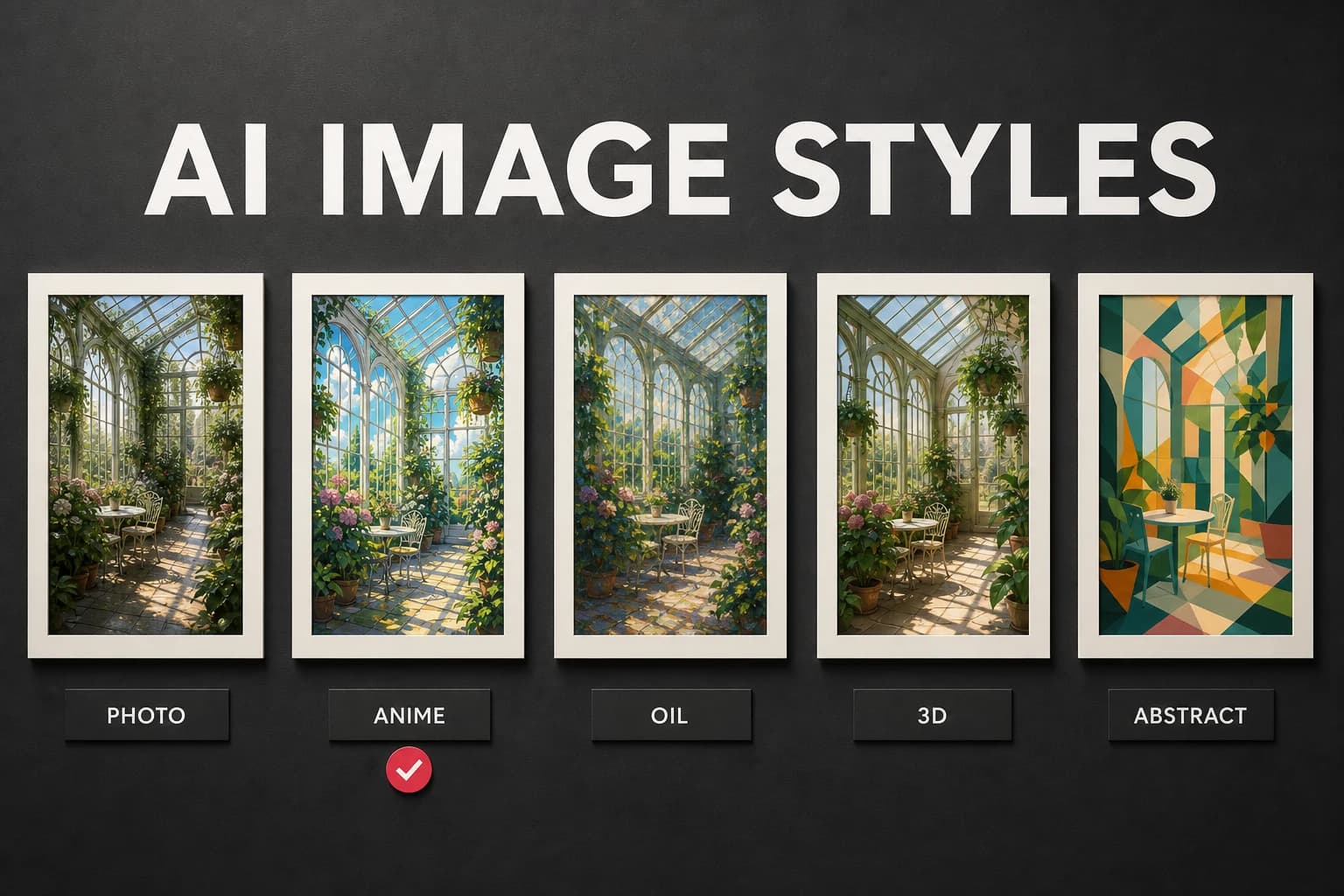
Style words change the lighting, texture, and visual rules of an AI image, but they cannot rescue a vague subject. This guide explains what common style labels actually ask for and where each one tends to fit.
Photorealistic
Photorealistic prompts aim for the look of a camera image. Use them for product concepts, portraits, architectural renders, or scenes that need natural lighting and materials.
Try GPT Image 2 or Grok Imagine Image for stills. Terms such as "natural window light," "85 mm portrait lens," or "shallow depth of field" say more than "4K." This style fits portraits, food, property concepts, and product photography.
Cinematic
Cinematic style borrows from film: wide aspect ratios, dramatic lighting, color grading, and deliberate framing. The word "cinematic" alone is vague, so pair it with a lens, light source, or camera angle.
Seedance 2.0 is one video option; GPT Image 2 and Grok Imagine Image can handle stills. Useful terms include "anamorphic lens," "film grain," and a named light direction. Cinematic framing often suits trailers, story images, and thumbnails.
Anime
Anime style draws from Japanese animation through clean line art, saturated color, expressive characters, and stylized backgrounds. It's popular for character art, gaming content, and fan creations.
Grok Imagine 1.5 and Nano Banana Pro are sensible models to compare. Rather than naming one studio, describe the visible treatment: "clean ink lines," "two-tone cel shading," or "painted background." That gives you more control over character and game art.
Oil painting
An oil-painting prompt asks for visible brushwork, layered color, and the surface of canvas. Name the kind of paint handling you want, such as thin glazing or heavy impasto, instead of relying on "classical" as a catch-all.
Compare Grok Imagine 1.5 with GPT Image 2. "Impasto," "visible brushwork," and "thin glazed shadows" are concrete instructions. This treatment is a natural fit for portraits, landscapes, and decorative prints.
3D render
A 3D-render prompt asks for computer-generated surfaces and controlled light. It works well for a product concept because materials, reflections, and camera placement can be described directly.
GPT Image 2 and Nano Banana Pro are useful starting points. Specify the material before the renderer: frosted glass, brushed aluminum, soft vinyl, or polished ceramic. Product concepts and app visuals benefit from that precision.
Abstract
Abstract prompts put form, color, and texture ahead of a recognizable subject. Be specific about the geometry and movement you want; "abstract background" leaves almost every useful decision to the model.
Nano Banana Pro and Grok Imagine 1.5 can be compared for stills, while Wan 2.7 can add motion. Name a structure such as overlapping paper planes, fluid ribbons, or a strict grid. Abstract work is often most useful for backgrounds, prints, and ambient loops.
Mixing styles
Some of the most interesting results come from blending styles: "photorealistic oil painting," "cinematic anime," or "3D render with painterly textures." Try one combination at a time, then compare how GPT Image 2 and Grok Imagine Image interpret it.
Create on your phone with AI-0
Watch a short ad when you need credits, choose an image or video model, and create without a monthly subscription.
 Download on the App Store
 Get it on Google Play